Dating Profile Search by Email
Enter an email address to check available public dating-profile references, usernames, profile details, and related online account signals. Fast, confidential reverse email search powered by open-source intelligence.
Reverse Email Lookup
Uncover the real identity behind any email address
Running Deep Scan


-
📧 Email & DNS Analysis Verifying mailbox deliverability, MX record health, and domain reputation.
-
🕵️ Social Media Graphing Extracting profiles from Instagram, Facebook, LinkedIn, TikTok, X, and Pinterest.
-
🔥 Dating & Adult Networks Probing Tinder, Bumble, OnlyFans, Badoo, and 20+ adult networks.
-
☠️ Deep Web & Breaches Cross-referencing leaked passwords, dark web records, and historical breaches.
-
📍 Identity & Location Matching geolocation metadata, carrier signals, and registered phone numbers.
-
🔒 Encrypting Report Compiling and scoring findings. Your private session will not be stored.
Something went wrong
How to Search Dating Profiles by Email
Follow this three-stage verification process to inspect public directories, check for dating-site registration indicators, and review profile clues.
Enter the Email Address
Enter any email address into the search field. Whether personal, professional, old, or recently received on a dating app, a single email is all that is required to begin the lookup.

Search Dating & Identity Signals
Our OSINT algorithms analyze public registration signals, open directories, author archives, and security breach records to determine where the address maintains a discoverable footprint.

Review Possible Profile Matches
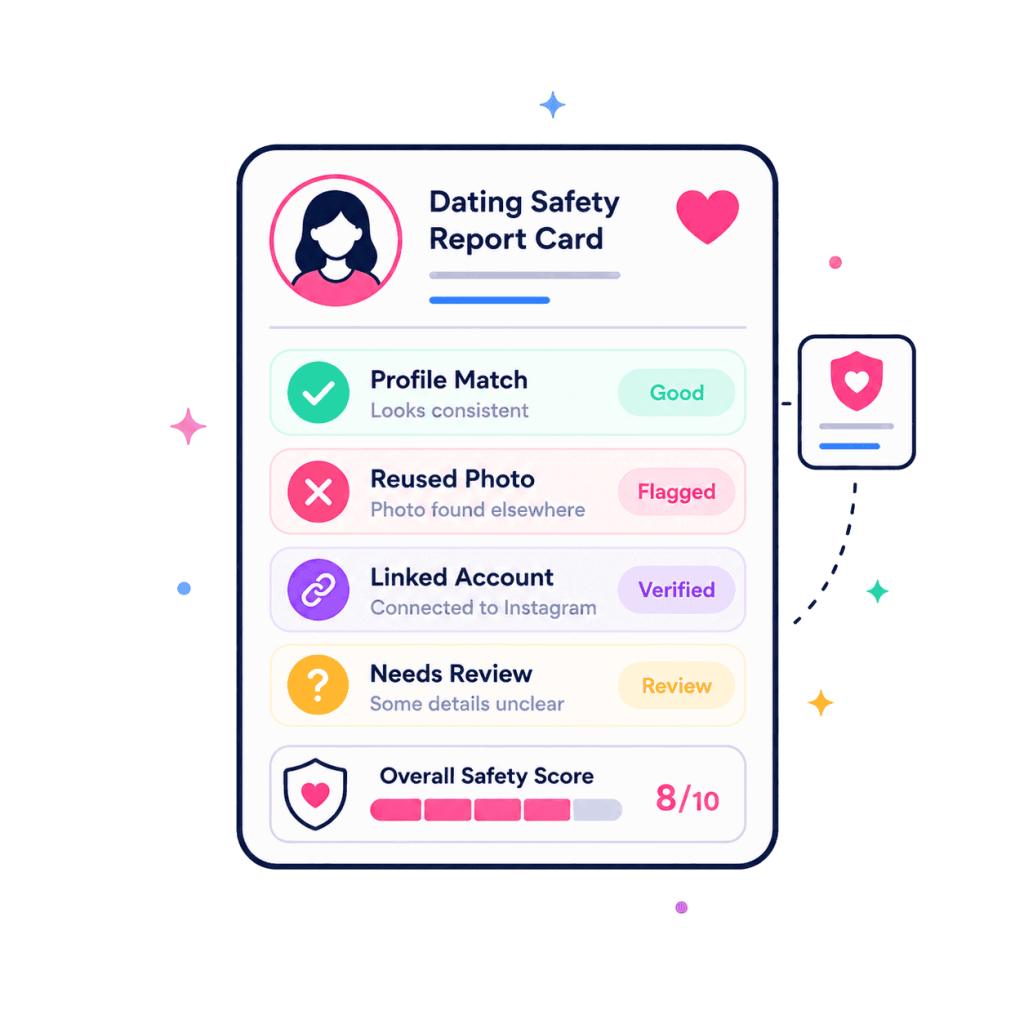
Review a categorized report of discovered profile references, matching usernames, avatar photos, linked social accounts, and platform exposure records to evaluate the online identity.
What Can an Email Dating Search Reveal?
An email address functions as a primary digital anchor. When queried against public indices and disclosed records, it can surface key indicators of online activity.
Dating Profile References
Identifies public web mentions, forum author profiles, and external directory references connecting the email to online dating services.
Reused Usernames & Handles
Extracts usernames linked to the email or its local prefix. Handles frequently repeat across dating platforms, social media, and online forums.
Profile Photos & Avatars
Surfaces globally recognized avatars (Gravatar) and public profile pictures linked to the email address across indexed public profiles.
Public Profile Details & Bios
Gathers visible names, self-reported biography snippets, occupational titles, and age clues displayed on public accounts associated with the address.
Dating-Site Account Signals
Detects account registration indicators on supported platforms where open endpoints confirm an account exists under the searched email.
Historical Breach & Exposure Records
Cross-references security incidents to determine whether the email was exposed in past historical dating site breaches or adult network disclosures.
Find Dating Profiles Linked to an Email
Not all online clues carry the same evidentiary weight. We distinguish directly verified accounts from registration signals, historical exposures, and reused handles.

A public profile URL exists that explicitly binds the email or verified unique handle to an active public profile page. This is the strongest individual signal.
Confirms an account was registered with the email on a specific dating platform. It confirms account creation, but does not prove recent logins or current messaging activity.
The email appeared in historical data breaches associated with adult dating sites (such as Ashley Madison or Adult Friend Finder). This proves historical presence, not current usage.
The email’s prefix or known handle matches a profile on a dating site. Because common usernames can be chosen by different individuals, this serves as an investigative lead rather than proof.
Search Dating Sites by Email
Major dating platforms do not provide public member directories searchable by email. Here is the technical reality of how public OSINT queries discover profile clues without false claims.
Tinder
Tinder does not offer an email directory. EmailCatfish checks for registration indicators, public Tinder web usernames (tinder.com/@username), and matching social media accounts linked in bios.
Bumble
Bumble profiles are tied to mobile devices. Lookups discover associated public usernames, connected Instagram or Spotify integrations, and registration flags where exposed.
Hinge
Hinge relies heavily on phone authentication. An email search checks whether the email matches linked cross-platform handles, author profiles, or connected identity signals.
Match.com & OkCupid
As established web-based dating services, these platforms historically indexed public member profiles and usernames that can be identified via historical records and username tracking.
Plenty of Fish (POF) & Badoo
Both platforms maintain searchable member handle conventions. OSINT techniques can check whether an email prefix corresponds to an active public profile or registration indicator.
Adult & Specialty Networks
EmailCatfish queries security breach registries and public web archives to flag whether an email address was historically registered on adult dating platforms or community forums.
Find Old or Reused Dating Profiles
Users often delete dating apps from their phones without permanently deactivating their accounts, leaving dormant profile records and historical data traces online for years.
How Dormant Accounts & Handle Reuse Create Clues
When an individual stops using a dating service, they rarely complete the full account deletion process. Their account remains dormant in platform registries, data breach records, and search engine caches.
Furthermore, most people reuse the same 2–3 handles across webmail, dating profiles, gaming accounts, and social media. When EmailCatfish analyzes an email address, it identifies handles that can be cross-checked against older profile references.

Check Whether the Profile Details Match
Cross-referencing multiple public data points provides clarity. Corroborating multiple matching clues confirms identity, while inconsistencies reveal potential impersonation.

The 4-Point Identity Verification Matrix
Before taking conversations off a dating platform, verify that the public signals associated with an email align with what your contact has shared:
- Name & Alias Consistency: Does the name registered to the email domain or social profiles match the display name on their dating profile?
- Avatar & Photo Cross-Match: Does the Gravatar or public profile image show the same person, or does it depict someone entirely different?
- Digital Longevity: Is the email address a well-established inbox with historical social activity, or a freshly created disposable burner?
- Location & Domain Plausibility: Does the email provider (e.g. corporate domain or regional ISP) make sense given the contact’s claimed profession and location?
When Should You Search a Dating Email?
Running a reverse email search is an objective safety and identity verification measure. Here are common situations where checking an email is recommended.
Before Meeting in Person
Confirm that the email your date provided connects to genuine public accounts and consistent profile details before agreeing to an in-person meeting.
Before Sending Money
Romance scammers frequently ask for emergency funds or investment assistance. Verify their email to detect burner addresses and fake personas immediately.
Before Moving Off-Platform
Scammers rush to move conversations to WhatsApp, Telegram, or SMS to avoid dating app safety filters. Inspect their email address before leaving the app.
Reviewing Your Own Footprint
Audit your own old email addresses to see which dating sites, old profiles, or data breaches still expose your personal identity online.
What a Dating Profile Search Cannot Tell You
We prioritize technical honesty over sensational promises. Here is what an open-source reverse email lookup cannot do:
No Result Does Not Mean No Profile
If someone registered a dating account using a secondary email, an Apple ID private relay, or a mobile phone number, searching their primary email will not reveal that account.
Private Profiles Are Not Accessible
EmailCatfish does not hack private databases, bypass password authentication, or access private messages. Only public web indices, registration signals, and breach disclosures are evaluated.
Historical Records Do Not Prove Current Activity
A breach record or registration clue indicates that an account was created at some point in the past. It does not prove that the individual is actively browsing or messaging today.
Reused Usernames Require Corroboration
Common usernames (e.g. “alex_smith”) are often registered by different people across different networks. A username match should be corroborated by photos, location, or bio details.

Dating Profile Search by Email FAQs
Everything you need to know about reverse dating profile lookups, technical capabilities, search confidentiality, and results interpretation.
Can I find dating profiles by email?
Yes. While dating platforms do not provide public member directories searchable by email, EmailCatfish identifies public dating-profile references, account registration signals, reused usernames, and historical platform records associated with an email address.
Can I search dating sites using an email address for free?
Yes. EmailCatfish provides a free initial email deliverability, mailbox health, and public signal scan. This confirms whether the mailbox is active, detects disposable burner domains, and indicates whether public profile clues and breach records exist for that address. Detailed OSINT reports can be unlocked with standard lookup tokens.
Can EmailCatfish search Tinder by email?
Tinder does not expose a public email lookup tool. However, EmailCatfish can identify whether an account registration signal exists under that email, detect public Tinder web profile URLs (tinder.com/@username), and discover cross-platform social profiles that may be linked to the person’s dating bio.
Can EmailCatfish search Bumble or Hinge by email?
Bumble and Hinge primarily authenticate users via phone numbers or social single-sign-on. EmailCatfish checks for registration indicators where available and searches for matching usernames, linked Instagram accounts, and public social footprints that connect back to the searched email address.
Can I find old or deleted dating profiles by email?
Yes. Many users abandon dating profiles without permanently deleting them. In addition, historical data breaches and public web archives preserve records of past accounts. EmailCatfish cross-references these historical indices to detect past dating site affiliations.
Can an email reveal dating-site account history or breaches?
Yes. If an email address was registered on platforms that suffered historical security breaches (such as Ashley Madison, Adult Friend Finder, or Mate1), EmailCatfish identifies those historical disclosures, confirming that an account was created on that service.
Can I find a dating username from an email address?
Often. The username portion of an email (the part before the @ symbol) is frequently reused as a handle on dating sites, forums, and social networks. When an email resolves to a public profile, the profile handle can be used to locate additional online accounts.
Does a dating profile search show active accounts?
It depends on the signal type. A live public profile URL confirms that a profile is currently accessible online. However, an account registration signal or a historical breach record only proves that an account was created, not that the user is currently logging in.
Does “no results found” mean there is no dating profile?
No. A clean search result simply means no public records or registration signals were detected under that specific email address. The individual may have registered using a mobile phone number, an alternate email, or privacy-relay settings.
Will the person know I searched their email address?
No. All lookups performed on EmailCatfish are 100% confidential. We query publicly available records and server-side indices without contacting or notifying the target email account.
Can EmailCatfish access private dating profiles or private chats?
No. EmailCatfish operates strictly within ethical and legal boundaries. We do not hack password-protected systems, view private conversations, or bypass platform access controls. We only analyze open public data and security disclosures.
What is the difference between a dating profile search and a social media email search?
A social media email lookup focuses on professional networks, developer profiles, and creator platforms (such as LinkedIn, GitHub, Instagram, and X). A dating profile search specifically interrogates dating-site account signals, adult network breaches, and romance profile references. For general inquiries, you can also use our reverse email lookup or verify suspicious messages with our free email scam checker.
Ready to Verify a Dating Profile Email?
Enter any email address to run a confidential preliminary deliverability and public footprint search. Discover linked handles, profile clues, and registration signals in seconds.
Search Email Now